Revolutionising workflows for a leading manufacturer.
Our procurement module accelerated purchasing by 50% and garnered a 98% positive rating from actual users for their overall experience.
Expertise:
Product Design, UX Research
Platforms:
Web App & Mobile App
Module
Procurement
Procurement in an ERP system is acquiring goods or services from external suppliers to meet organizational needs.
Team Size
55 People
Business Analysts, Solution Architectures , Product Designers, Design VP and Engineers
My Role
Product Designer
I defined the problem and ideated solution with stakeholders
Time Spent
1.5 Month
Extensive Discovery for Full-Fledged Procurement Business Process
Overview
Revolutionizing Procurement: Effortless Solutions for Manufacturers
This project involved developing a comprehensive ERP system tailored for second-stage manufacturers. As the UI/UX designer, my role was to create a user-friendly interface for the procurement module. This module streamlines the buying process, recommends reorder quantities based on demand forecasting, manages payment rules, and handles unit of measure selection. The ERP system integrates seamlessly with manufacturing workflows, enhancing efficiency and accuracy in procurement processes.
My Approach
Customized Strategies for Mastering Complex Design Challenges
Stakeholder’s Call
Affinity Mapping
Function Architecture
Business Process Diagram
User Flows
Design Concepts & Sketching
Hi Fi Design according to component library that eventually become our design system after getting dev support

Why we need these UX artefacts?
1
Gathered requirements directly from ERP users for better understanding of complex business processes.
3
Functional architecture to align stakeholders and define product scope clearly.
5
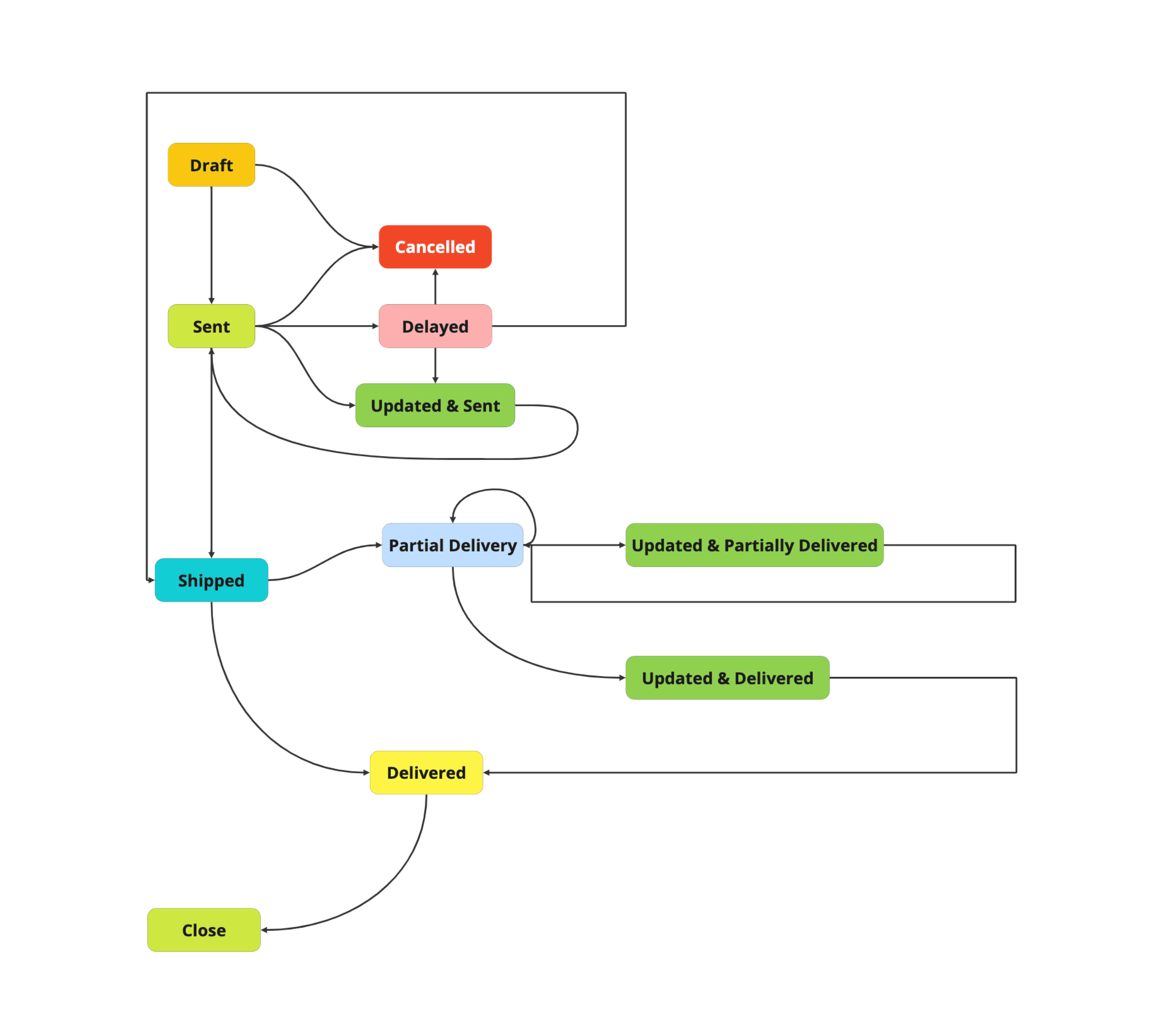
Developed PO state diagrams for clarity of different statuses of purchase orders.
6
Low-fi wireframes for rapid iteration and feedback, ensuring early concept validation.
4
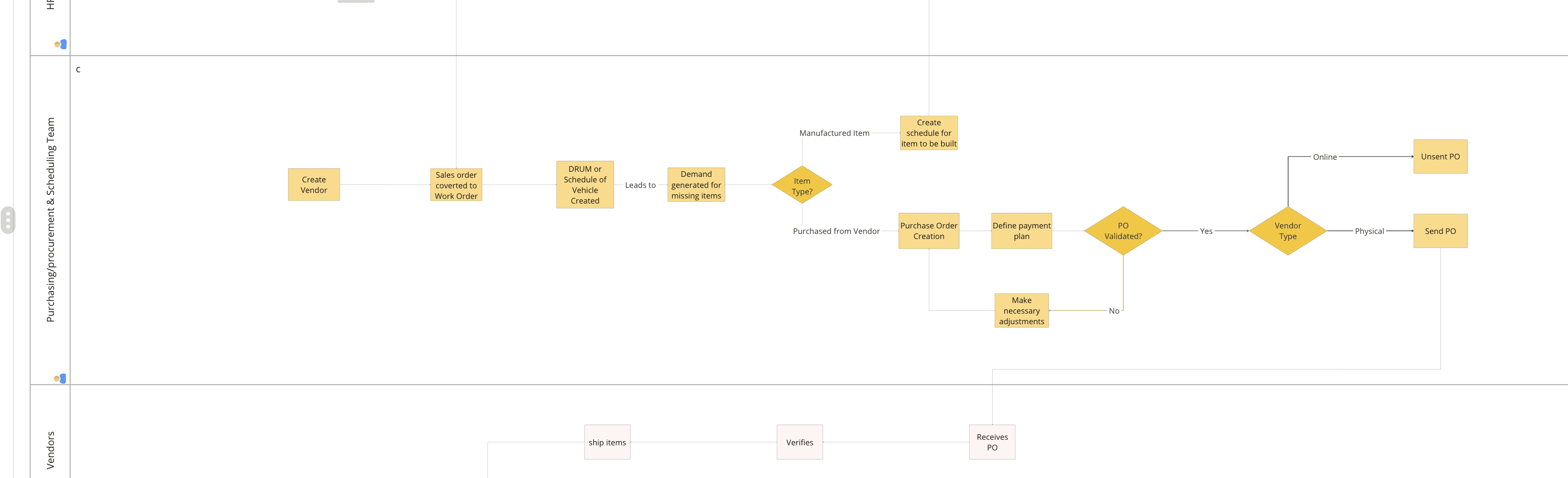
Business process diagrams for understanding of total business context.
2
Used affinity mapping to group insights effectively, prioritising valuable ideas during brainstorming.
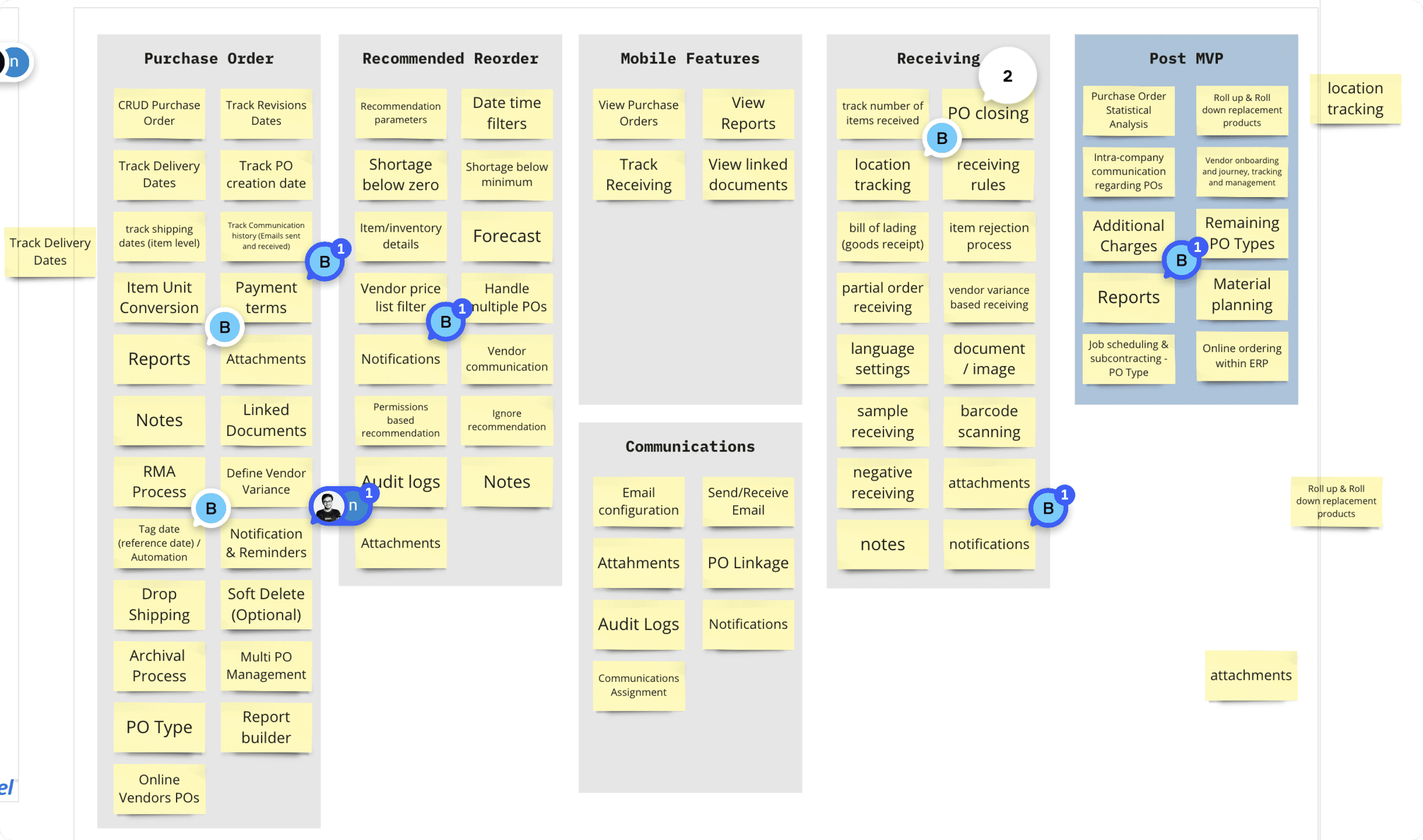
Functional Architecture
I assisted the business analyst team in finalizing the functional architecture, which serves as a comprehensive map of all required features and functions. This approach helped us maintain focus on the project's scope from the outset.
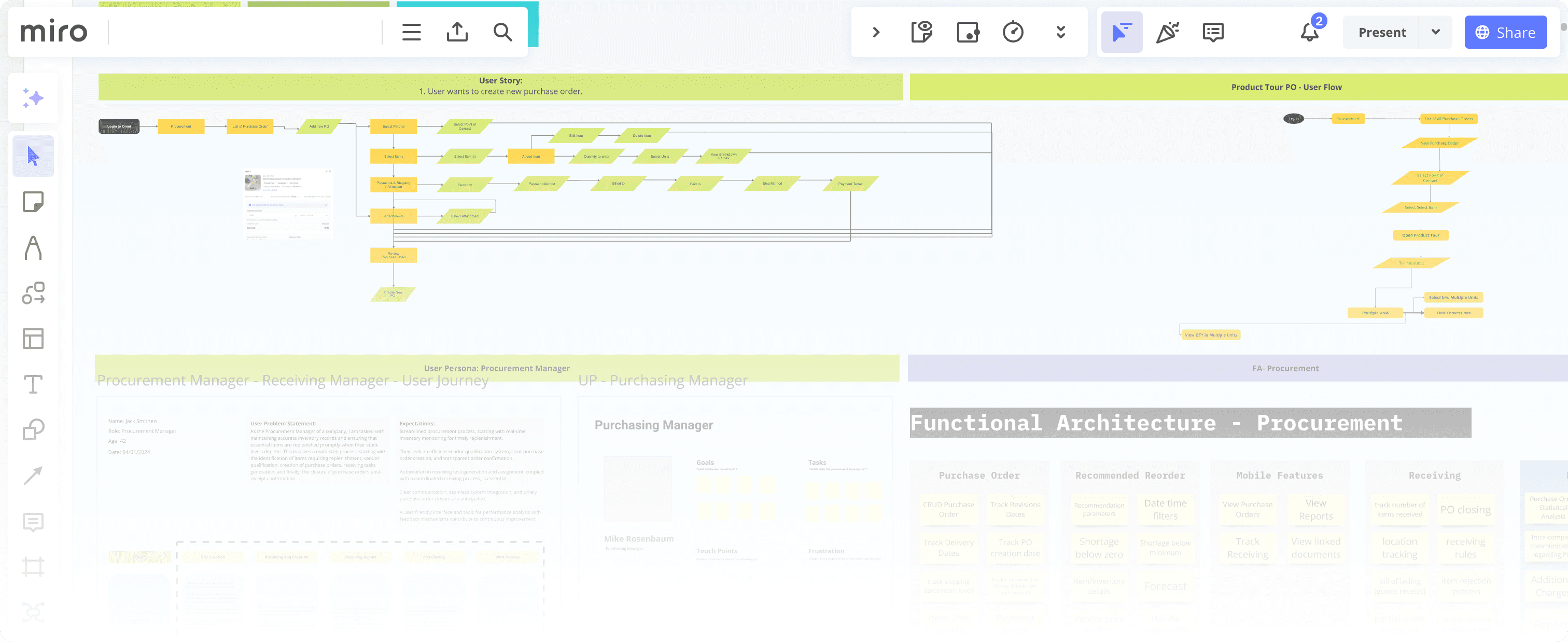
Business Process Diagram
The Business Process Diagram helped me truly understand their procurement business. It aided in grasping the key personas and use cases that we can digitalize in our robust ERP system.
Purchase Order State Diagram
We have multiple states for purchase orders and their relationships with each other. Therefore, the PO state diagram helped me map out all statuses and their relationships.
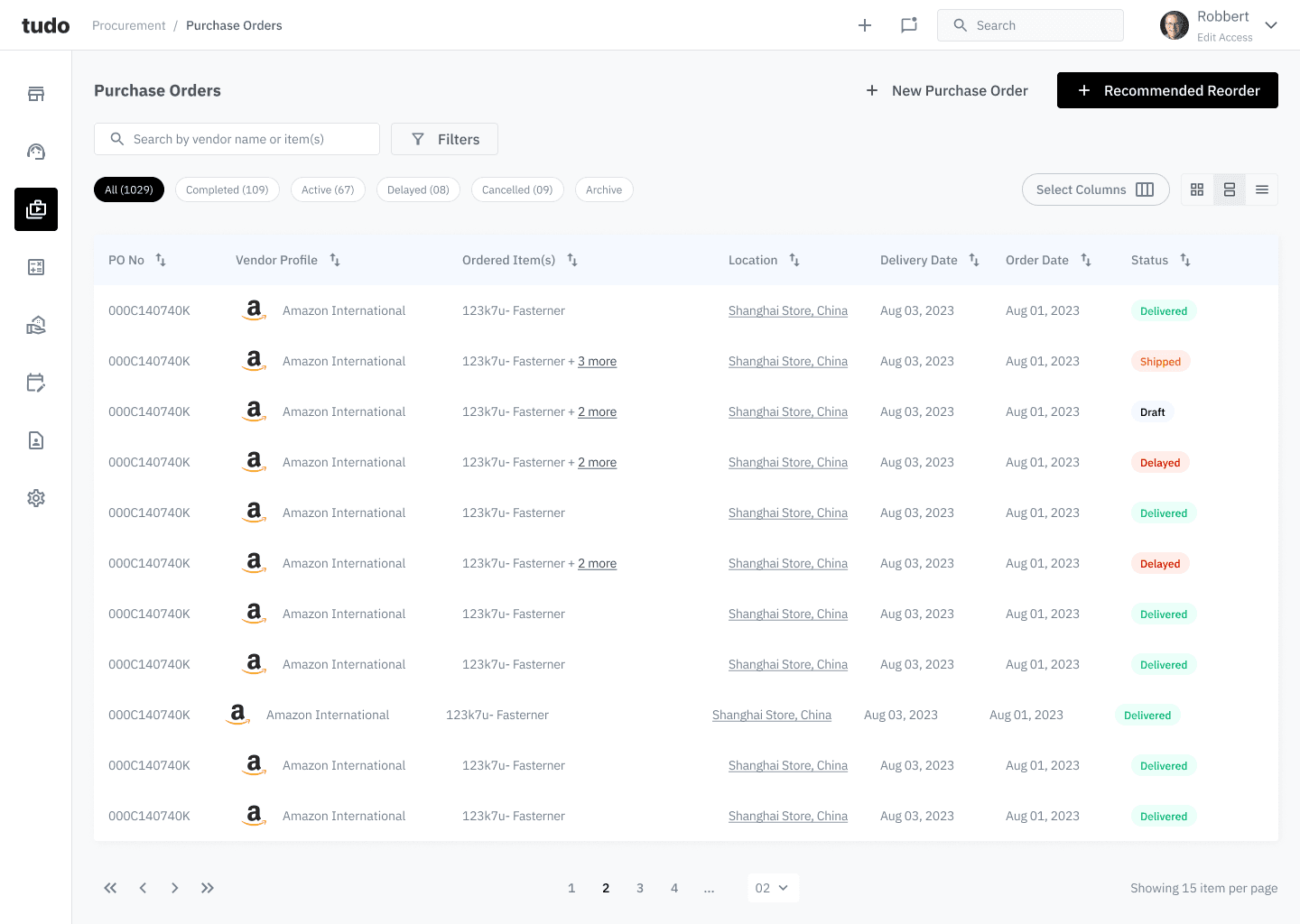
Wireframes & Sketching
We created low fidelity wireframes without proper design system to ideate various use cases of purchase order module.
Purchase Order Listing
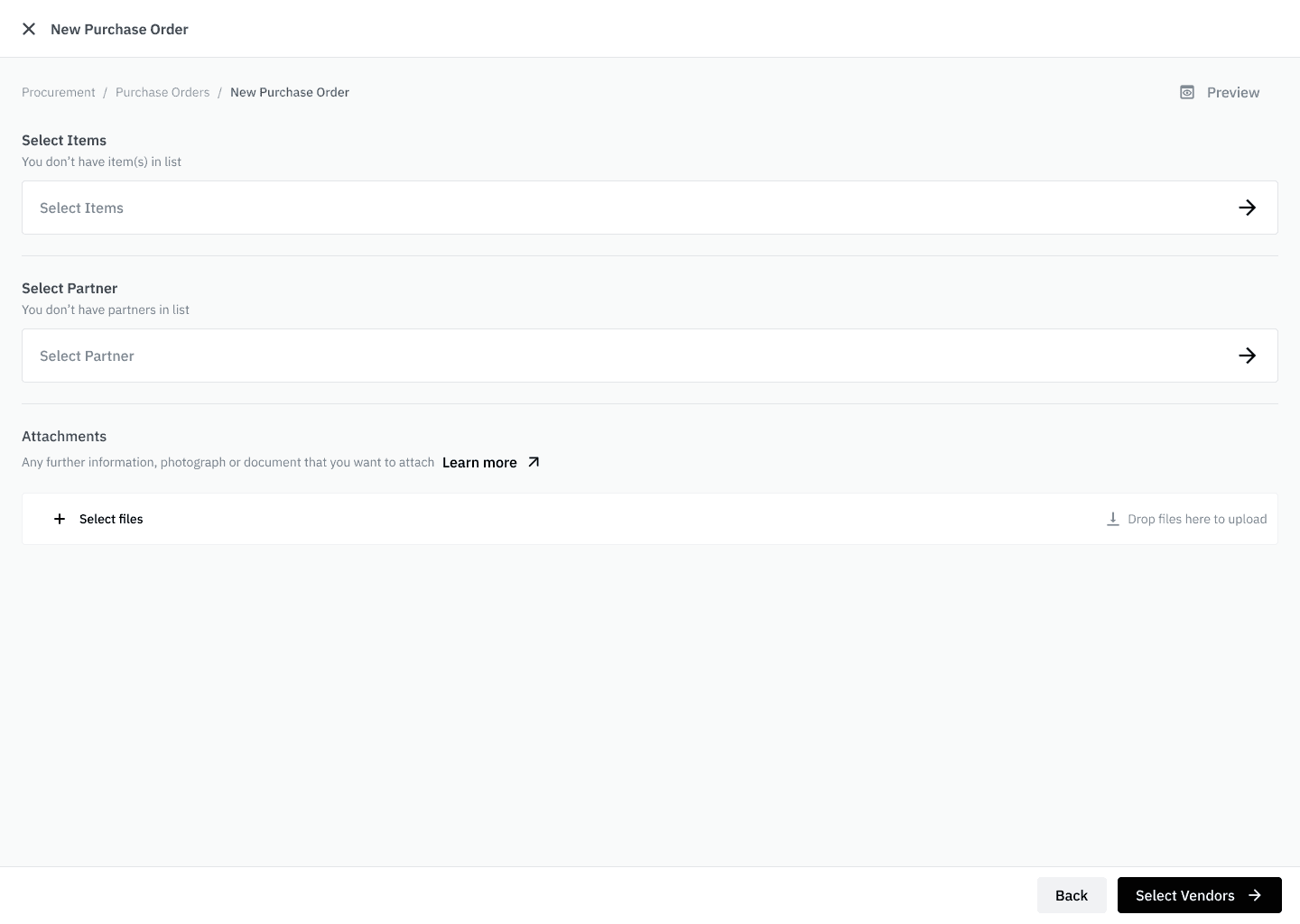
Purchase Order Creation
Purchase Order Detail Page
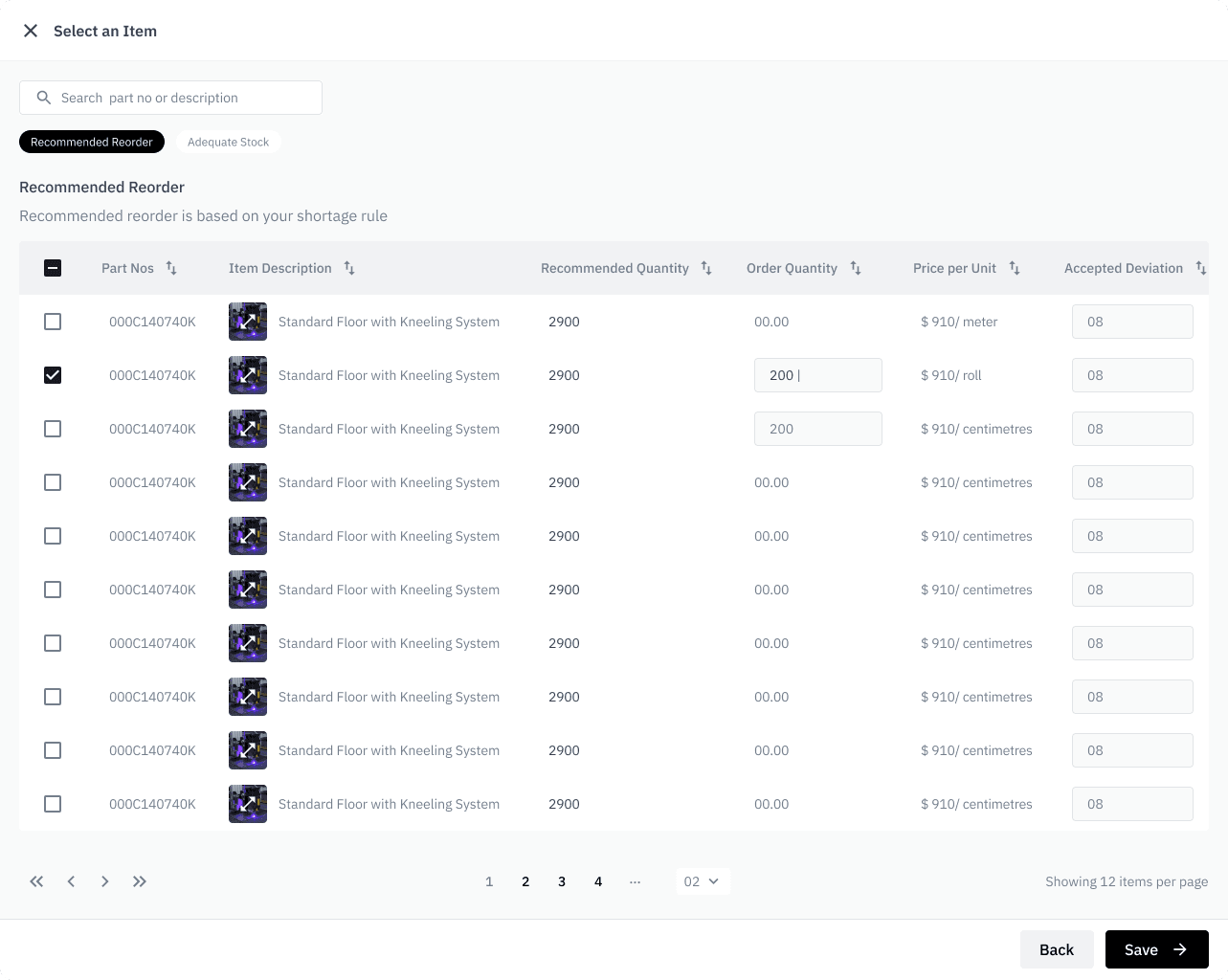
Select an Item for Purchase Order
Interactive Prototypes
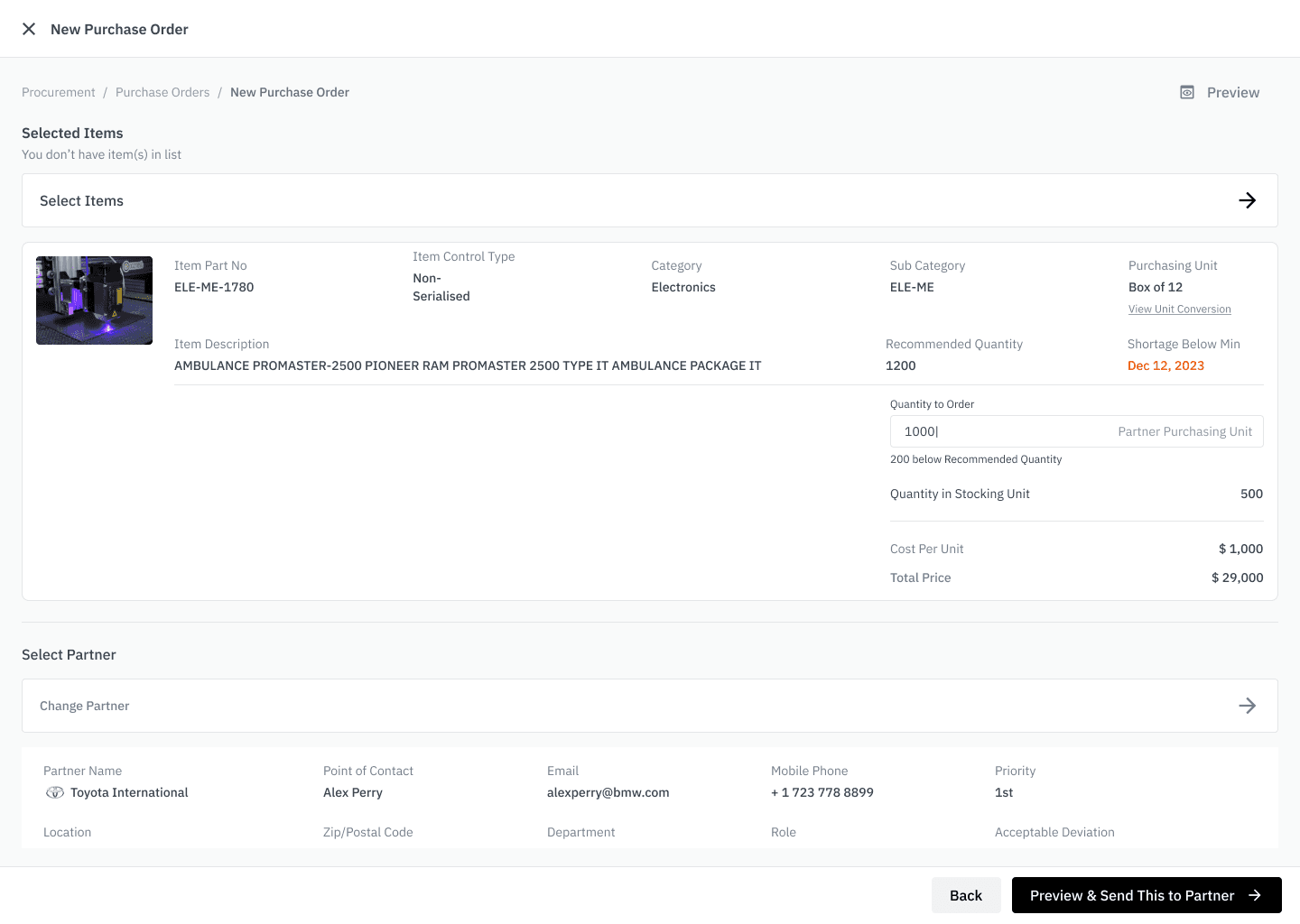
Create New Purchase Order
The user wants to create a new purchase order so they can manually order items from any vendor.
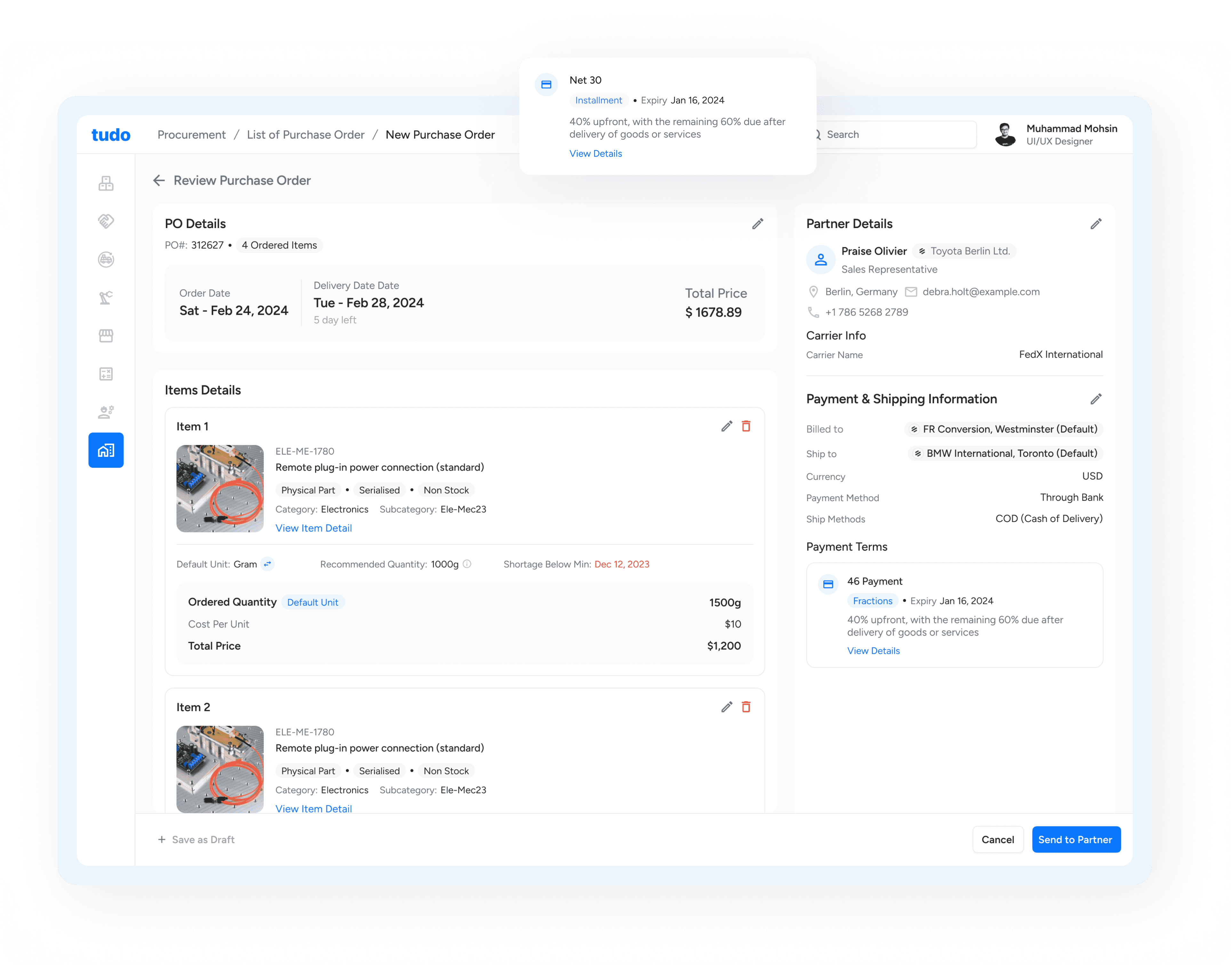
Purchase Order Detail Page Layout
The layout of the Purchase Order detail page posed a challenge due to the abundance of information and data that required visual accuracy and accessibility. I prioritized the placement of crucial details such as the delivery date in the top left section and left the remaining information below.
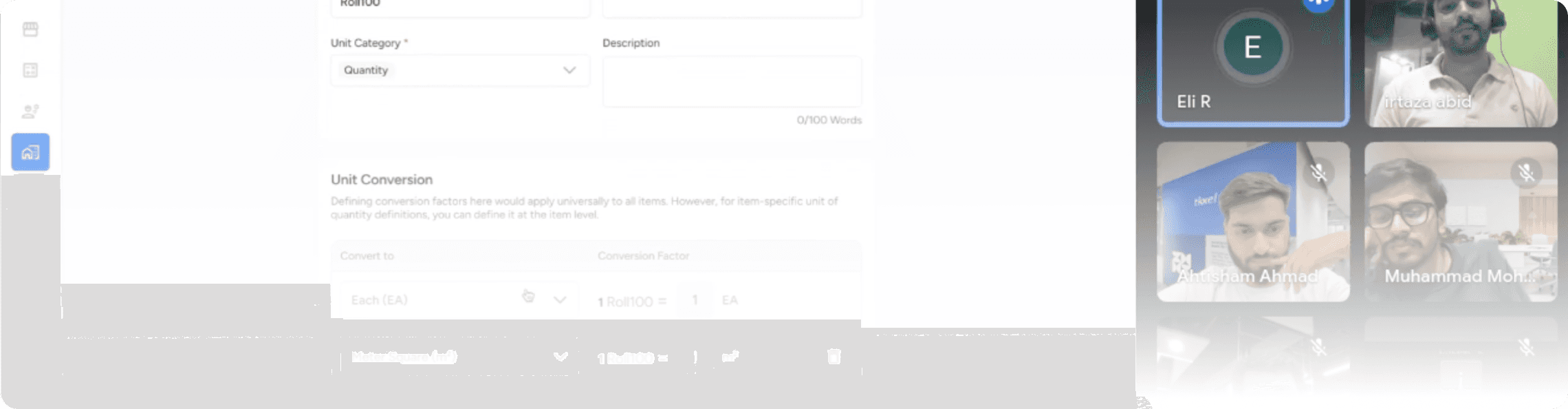
Product Tour - Unit of Measure
UOM Challenge
Understanding units of measurement can be a challenging concept. Users may mistakenly order items in the wrong unit due to the various ways items can be stocked. Therefore, to prevent errors, it is essential to provide proper awareness and education about this feature.
Future Work
I am still working on other modules of this feature, and a very important aspect is the Bill of Materials (BOM). The Bill of Materials is the heart of digital manufacturing, where you determine how and where you can make things. This involves defining steps and operations, consumables, and yields. The layout of this feature is also a significant challenge for us.
Revolutionising workflows for a leading manufacturer.
Our procurement module accelerated purchasing by 50% and garnered a 98% positive rating from actual users for their overall experience.
Expertise:
Product Design, UX Research
Platforms:
Web App & Mobile App
Module
Procurement
Procurement in an ERP system is acquiring goods or services from external suppliers to meet organizational needs.
Team Size
55 People
Business Analysts, Solution Architectures , Product Designers, Design VP and Engineers
My Role
Product Designer
I defined the problem and ideated solution with stakeholders
Time Spent
1.5 Month
Extensive Discovery for Full-Fledged Procurement Business Process
Overview
Revolutionizing Procurement: Effortless Solutions for Manufacturers
This project involved developing a comprehensive ERP system tailored for second-stage manufacturers. As the UI/UX designer, my role was to create a user-friendly interface for the procurement module. This module streamlines the buying process, recommends reorder quantities based on demand forecasting, manages payment rules, and handles unit of measure selection. The ERP system integrates seamlessly with manufacturing workflows, enhancing efficiency and accuracy in procurement processes.
My Approach
Customized Strategies for Mastering Complex Design Challenges
Stakeholder’s Call
Affinity Mapping
Function Architecture
Business Process Diagram
User Flows
Design Concepts & Sketching
Hi Fi Design according to component library ( that eventually become our design system)
Why we need these UX artefacts?
1
Gathered requirements directly from ERP users for better understanding of complex business processes.
2
Used affinity mapping to group insights effectively, prioritising valuable ideas during brainstorming.
3
Functional architecture to align stakeholders and define product scope clearly.
4
Business process diagrams for understanding of total business context.
5
Developed PO state diagrams for clarity of different statuses of purchase orders.
6
Low-fi wireframes for rapid iteration and feedback, ensuring early concept validation.
Functional Architecture
I assisted the business analyst team in finalizing the functional architecture, which serves as a comprehensive map of all required features and functions. This approach helped us maintain focus on the project's scope from the outset.
Business Process Diagram
The Business Process Diagram helped me truly understand their procurement business. It aided in grasping the key personas and use cases that we can digitalize in our robust ERP system.
Purchase Order State Diagram
We have multiple states for purchase orders and their relationships with each other. Therefore, the PO state diagram helped me map out all statuses and their relationships.
Wireframes & Sketching
We created low fidelity wireframes without proper design system to ideate various use cases of purchase order module.
Purchase Order Listing
Purchase Order Creation
Purchase Order Detail Page
Select an Item for Purchase Order
Interactive Prototypes
Create New Purchase Order
The user wants to create a new purchase order so they can manually order items from any vendor.
Purchase Order Detail Page Layout
The layout of the Purchase Order detail page posed a challenge due to the abundance of information and data that required visual accuracy and accessibility. I prioritized the placement of crucial details such as the delivery date in the top left section and left the remaining information below.
Product Tour - Unit of Measure
UOM Challenge
Understanding units of measurement can be a challenging concept. Users may mistakenly order items in the wrong unit due to the various ways items can be stocked. Therefore, to prevent errors, it is essential to provide proper awareness and education about this feature.
Future Work
I am still working on other modules of this feature, and a very important aspect is the Bill of Materials (BOM). The Bill of Materials is the heart of digital manufacturing, where you determine how and where you can make things. This involves defining steps and operations, consumables, and yields. The layout of this feature is also a significant challenge for us.